

This guide is part of a series on setting up A2X. The other two cover Connecting A2X to Amazon: What You Need to Know Before You Start and Why A2X is an Essential Accounting Tool for Amazon Sellers.
Why A2X matters for Amazon sellers
A2X makes things easier for companies using accounting software like QuickBooks Online or Xero who also sell on Amazon. It automatically pulls in your Amazon settlements, processes the data, and creates a summary of revenue, expenses, and other transactions, then posts that summary to your accounting software as invoices or journal entries, automatically or manually, your choice. You can choose the accounts and tax rates that apply to each Amazon transaction type, then easily reconcile A2X's postings against the actual settlement deposits in your bank account. Visit A2X's website for more info.
To see how this works in practice, watch Amazon Accounting Software A2X | The Whys and the Hows.
This guide assumes you've already created a shell company in A2X (if not, do that first) and are ready to connect it to QuickBooks. For more on QuickBooks integrations generally, including A2X, see our full guide.
Two ways to start the connection
There are two ways to start connecting A2X to QuickBooks Online:
- Connect directly through the A2X homepage, where all your connected systems are listed.
- Connect through Settings, under Connections, by selecting "Connect to QuickBooks Online."
Both paths lead to the same setup flow. You'll log into QuickBooks, choose the company or firm you want to connect, then choose the specific client. Since A2X periodically updates its interface, we'd rather point you to A2X's own current step-by-step connection guide than walk through specific screens that may not match what you see today.
A few things worth knowing before you start:
- You must be an admin on the QuickBooks account you're connecting. If you're not, you'll hit a warning and be prompted to switch admin access, which you may not want to do.
- You'll need to select a bank account where Amazon settlement deposits will land, typically your business checking account.
- You'll also need to select a credit card account that Amazon can pull from if there's a shortfall it needs covered right away, like a refund or a monthly fee that exceeds what's currently in your Amazon holding account.
If you need to make changes later:
- Refreshing the cache lets A2X pull in updates you've made in QuickBooks, like renamed accounts in your chart of accounts. This can take anywhere from 30 seconds to an hour depending on how much changed.
- Disconnecting lets you unlink the current QuickBooks account and connect a different one instead, useful if you manage multiple QuickBooks accounts and the wrong one got connected.
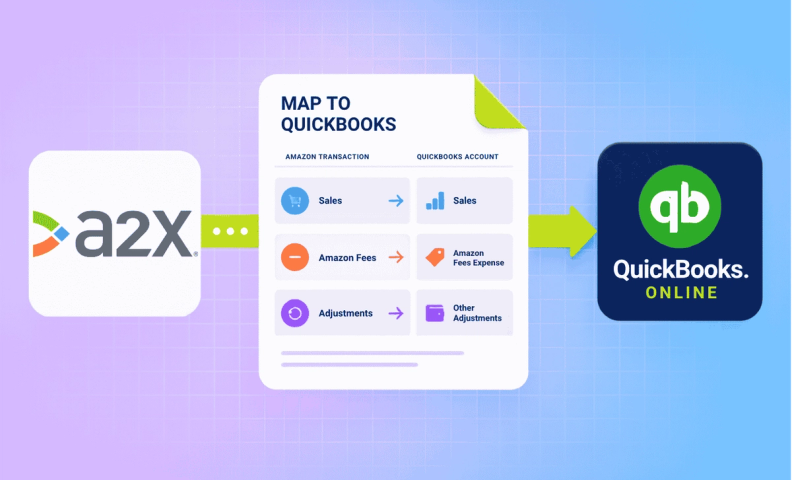
Mapping Amazon transactions to your chart of accounts: once connected, A2X pulls in your chart of accounts under "Accounts and Taxes," where you'll assign each type of Amazon transaction (sales, fees, adjustments, and more) to the correct account and tax rate. This mapping step is important to get right but detailed enough that it's worth its own guide rather than covering it here.
Frequently asked questions
Do I need to be an admin on my QuickBooks account to connect A2X?
Yes. If you're not the admin, you'll hit a warning when trying to connect, and you'd need to switch admin access to proceed, which isn't something you always want to do.
What accounts do I need to set up when connecting A2X to QuickBooks?
Two: a bank account where Amazon settlement deposits will land, and a credit card account Amazon can pull from if there's a shortfall (like a refund or monthly fee) it needs covered immediately.
What happens if I change something in my QuickBooks chart of accounts after connecting?
You'll need to refresh A2X's cache so it can pull in the updated chart of accounts. This can take anywhere from 30 seconds to an hour depending on how much changed.
Can I disconnect A2X from one QuickBooks account and connect it to a different one?
Yes. Disconnecting is straightforward, and once disconnected, you're free to connect a different QuickBooks account to that same A2X company.
Does A2X automatically know which QuickBooks accounts to use for each Amazon transaction type?
Not automatically, you'll map each Amazon transaction type (sales, fees, adjustments, and more) to a specific QuickBooks account and tax rate yourself, under Accounts and Taxes.
What's the difference between this guide and Connecting A2X to Amazon?
This one covers linking A2X to your accounting software (QuickBooks Online). The other covers linking A2X to your actual Amazon seller account so it can pull in settlement data in the first place. Most sellers need both.
Let us connect it for you
If you'd rather skip the setup, we offer a service that connects your Amazon store to A2X, and then to QuickBooks Online, so your Amazon accounting is ready to go from day one.
