

When you first step into the world of accounting for your Shopify store, you may experience confusion and frustration. Or you may simply ignore a lot of things that will later become BIG issues.
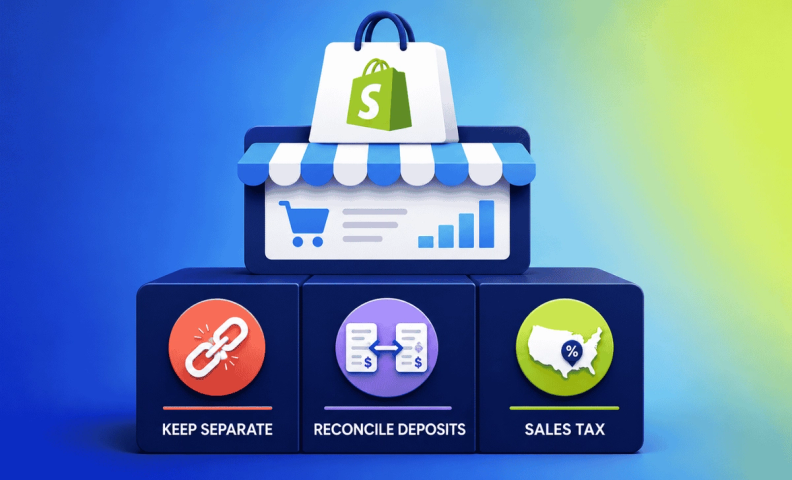
But we are here to help. This is our world! We live in it every day, so we understand your pains and can prevent some bigger pains down the road. Although you'll face various unique challenges, we have three accounting basics for Shopify sellers that will give you a strong foundation.
Don't sync Shopify with your accounting software
One of the first things many sellers do when they get accounting software is sync it with their Shopify store. But syncing Shopify with QuickBooks Online (QBO), or other accounting software, can create a huge mess. Activity in your bank account rarely matches the activity that QBO pulls in from Shopify. You'll have to solve a lot of puzzles, and the hassle is just not worth it.
Instead, we recommend using Shopify reports to view unique financial data when necessary, instead of using QuickBooks Online. At the end of the month, you can enter journal entries into your accounting software that reflect all your financial information. Trust us, this will save you time!
Or even better is to setup A2X to summarize all that information and bring it neatly into QBO. We have a service where we set it all up FOR you, if you’d prefer.
Reconciling Shopify, payment processors, and bank deposits
Probably the most difficult part of ecommerce accounting is understanding that the deposits hitting your bank account do not reflect your true revenue numbers. These deposits from sales channels and payment processors are net deposits. This means the deposit includes revenue minus other costs that are happening on your sales channels and payment processors. By not recording only a net deposit, and not all this other activity, you will be missing out on key information.
So, with Shopify accounting, you will need to gather financial activity from Shopify reports and from your payment processors. You'll also need to reconcile Shopify reports with payment processor reports and make sure these match with what is hitting your bank account.
This reconciliation process can be tedious, but it needs to be done. Shopify sellers tend to have multiple payment processors that need to be reconciled. This makes Shopify accounting often more complex than, say, Amazon accounting.
For more information, read How to Do Shopify Accounting: 3 Methods Based on Your Revenue Stage.
Sales tax compliance
One of the most frequent accounting mistakes we see for Shopify sellers is that either:
- They aren't collecting sales tax at all.
- Or they aren't collecting in all the necessary states.
Sales tax compliance is an important part of your Shopify business that CANNOT be ignored. We've seen it destroy some businesses and significantly reduce the growth of others.
Sales tax is a complicated issue to tackle for ecommerce businesses. One that will most likely require the help of experts, once your business is large enough. As a Shopify seller its important to understand a few things, specifically economic nexus, how your other sales channels fit in with your sales tax exposure, and configuring your Shopify settings correctly.
For an in-depth guide, read The Ecommerce Sales Tax Guide: What You Need to Know to Stay Compliant (and Sane).
Economic nexus
You may owe sales tax in states where you sell a lot of product (either in terms of revenue or transactions). This is called economic nexus and is the main reason you will need to collect and remit sales tax as a Shopify business. Laws vary between states, so it's a mess.
For a deep-dive into nexus, read our Complete Guide to Sales Tax Nexus for Ecommerce Sellers.
Once you know where you owe, the next step is to register for a sales tax permit in each of those states before you turn on collection.
Don't forget your other sales channels
When considering economic nexus, you need to consider not only your sales on Shopify, but across all channels. If you also sell on Amazon, and you owe sales tax in North Dakota because of the amount of sales on Amazon, you also need to collect and remit sales tax for North Dakota orders on Shopify. Or, if you owe sales tax in certain states because of FBA nexus, for example, you will owe sales tax in those states for sales on Shopify.
Watch Amazon & Shopify Sales Tax: What Ecommerce Sellers Get Wrong for more information on this topic.
Configure your Shopify settings
Once you know where you owe sales tax, you can setup Shopify to collect sales tax in those necessary states. For details on how to do this, read Shopify Sales Tax Setup: What to Get Right Before You Touch Your Settings.
These three basics will keep you out of the most common trouble spots, but if you want the full picture, including which accounting method actually fits your revenue stage, see our complete guide to how to do Shopify accounting
Frequently asked questions
Why shouldn't I just sync Shopify directly with QuickBooks Online?
Because the deposits hitting your bank account rarely match what QBO pulls in automatically from Shopify, since those deposits are net of fees and other deductions. Direct syncing usually creates more reconciliation problems than it solves.
What should I do instead of syncing Shopify directly to my accounting software?
Use Shopify's own reports to pull the specific financial data you need, then record summarized journal entries in your accounting software at month-end. A tool like A2X can also automate this by summarizing Shopify activity and posting it cleanly into QuickBooks.
Why don't my bank deposits match my actual Shopify revenue?
Because deposits from Shopify and your payment processors are net amounts, they've already had fees and other costs deducted. Recording only the net deposit means you're missing real information about your revenue and expenses.
Why is Shopify accounting often more complex than Amazon accounting?
Because Shopify sellers frequently use multiple payment processors, each of which needs to be reconciled separately against Shopify's reports and your bank deposits, more moving pieces than a typical single-channel Amazon business.
Do I need to collect sales tax on Shopify if I already collect it on Amazon?
Yes, if you have nexus in a state, economic nexus is based on your combined sales across every channel, not just Shopify. If your total sales (including Amazon or FBA-driven nexus) create an obligation in a state, you need to collect and remit on your Shopify orders in that state too.
What's the biggest sales tax mistake Shopify sellers make?
Either not collecting sales tax at all or not collecting it in every state where they've actually crossed a nexus threshold. Both mistakes tend to go unnoticed until an audit or a state notice forces the issue.
Get your Shopify accounting set up right
Getting your Shopify accounting right from the start saves you time, stress, and money down the road. Not sure if you're collecting sales tax everywhere you should be? Take our free Sales Tax Risk Assessment, 20 quick questions, about five minutes, for a personalized read.
If you'd rather hand off the reconciliations and sales tax tracking to people who live in this world every day, our team can help.
