

If you're already comfortable with QuickBooks Desktop, the temptation is to leave things alone until something forces your hand. But between frozen new-customer sales, a shrinking list of supported versions, and an ecosystem of apps that increasingly assumes you're on QuickBooks Online, that day is coming for most sellers whether you plan for it or not. This guide walks through exactly what's changed with Desktop, what each product actually gives you day to day, and a simple framework for deciding when, not if, it's time to make the switch.
Why this decision can't wait anymore
Plenty of small and medium-sized business owners have run QuickBooks Desktop for decades, and for some, that's still fine. But the ground has shifted under Desktop in ways worth understanding clearly.
Intuit stopped selling new subscriptions of Desktop Pro Plus, Premier Plus, and Mac Plus to new customers in September 2024. Existing subscribers can still renew, but no one new can buy in. Older versions are already falling out of support on the old 3-year lifecycle: Desktop 2022 lost support in May 2025, and Desktop 2023 lost support this past May. If you're on either of those, you're already unsupported right now.
Desktop 2024, the current version, tells a different story. Per Intuit's own release notes, Intuit has moved away from that old annual-version, 3-year-support model entirely for this release. 2024 now gets continuous rolling updates and product maintenance with no announced sunset date. So, if you're already on 2024, you're not on a countdown the way earlier versions were. The catch: you can't get there as a new customer anymore. That path is closed unless you're already an existing subscriber renewing.
Enterprise remains the one Desktop product still open to new customers, at a meaningfully higher price point.
What you get with QuickBooks Desktop
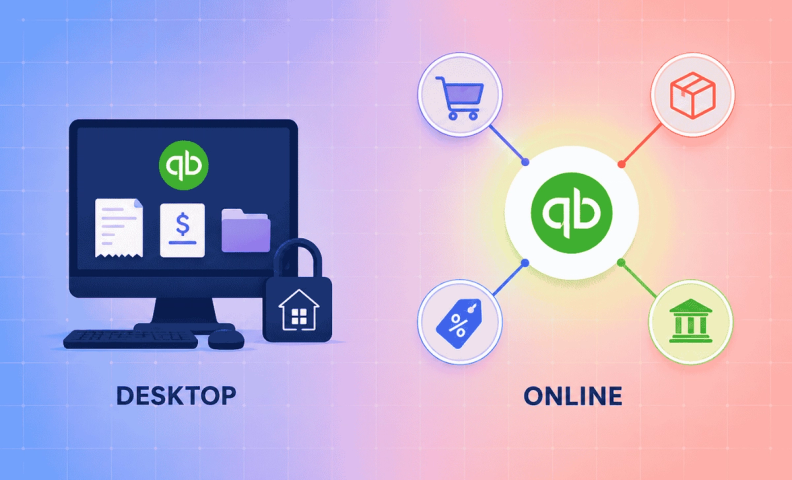
QuickBooks Desktop is a standalone product in two important ways. First, the functionality you download is largely the functionality you get. Some tools integrate with Desktop, but options are limited and the integrations are often clunky, many of the newest and best ecommerce apps don't bother building for Desktop at all anymore. Second, Desktop only runs on the machine it's installed on, or on a server hosting it, which limits access significantly if you have more than one person who needs in.
That standalone nature is also why Desktop built out deep, self-contained features in areas like payroll, job costing, and inventory. Those features aren't disappearing overnight, but Intuit isn't developing them further, while the apps solving the same problems for QuickBooks Online keep getting better. There's also a real backup risk: if your computer goes down and you haven't been diligent about backing up your file, you can lose years of financial history in one bad day.
What You Get with QuickBooks Online
QuickBooks Online was built from the ground up to be a hub that connects with other tools, and that's really its core advantage. App developers build industry-specific accounting tools with the explicit ability to connect to QBO, creating an ecosystem of automation that Desktop was never designed for.
Take ecommerce sales tax as an example. Rules differ by state and change constantly. Tools like Avalara automate identifying where you owe tax, collecting it, and remitting it, then sync that activity straight into QBO. A handful of these tools technically integrate with Desktop too, but rarely as seamlessly, and you'll find the same pattern across most industry-specific tools. QBO gets the better integration, every time.
Before this ecosystem existed, business owners and in-house accountants solved problems like sales tax manually, usually at a real cost in time or money. Apps that sync with QBO give you automated, real-time information instead. And unlike Desktop, you never have to think about backing up QBO yourself; that risk goes away entirely.
Making the decision: 3 questions to ask
If you're still on the fence, three questions usually settle it:
- Functionality: Do you want access to the best industry-specific tools on the market? Are there manual problems you or your accountant are solving today that existing apps could automate? Does QBO plus an add-on beat what Desktop gives you natively?
- Accessibility: Do you need to access your books from anywhere? Do you have people in more than one location who need in, or does one on-premise machine genuinely cover your needs?
- Pricing: Are you comfortable with a subscription model? Run the actual math, what you'd pay for QBO against what you're currently paying to keep renewing Desktop, especially now that Desktop pricing has been climbing.
If you answered yes to either of the first two, and yes to the third, it's time to move. For most ecommerce sellers, that better, faster knowledge of the business is exactly what fuels good decisions.
Frequently asked questions
Is QuickBooks Desktop actually going away?
Not entirely, and it's more nuanced than a single deadline. Intuit stopped selling new Pro Plus, Premier Plus, and Mac Plus subscriptions to new customers in September 2024. Older versions (2022, 2023) are already unsupported. But the current version, 24.0, now gets continuous updates with no announced sunset date. Intuit moved away from its old fixed-lifecycle model for this release specifically.
What happens when my QuickBooks Desktop version loses support?
Payroll tax tables freeze, bank feeds disconnect, and security patches stop. This has already happened to Desktop 2022 and 2023. The current version, 24.0, isn't on that same clock anymore.
Is QuickBooks Online actually as capable as Desktop now?
For most ecommerce sellers, yes, and often more capable, because of the app ecosystem built around it. QBO's advantage isn't really the core software, it's the hundreds of specialized apps (sales tax, inventory, AP) that connect to it seamlessly, most of which barely support Desktop at all.
What if I need on-premise software specifically?
QuickBooks Desktop Enterprise is the one product Intuit isn't phasing out. It's priced significantly higher than Pro or Premier, but it's the option to look at if on-premise is a hard requirement rather than a habit.
How do I know if switching to QBO is worth it for my business?
Run it through three questions: do you need better functionality than Desktop natively offers, do you need access from more than one place, and does the actual subscription math favor QBO over what you're paying to keep renewing Desktop? Two yes’s out of three is usually your answer.
Get help moving to QuickBooks Online
Migrating years of financial history is exactly the kind of project you don't want to get wrong. Our team handles QuickBooks Online migrations and setup for ecommerce sellers regularly, and we'll make sure nothing gets lost in the move.
