

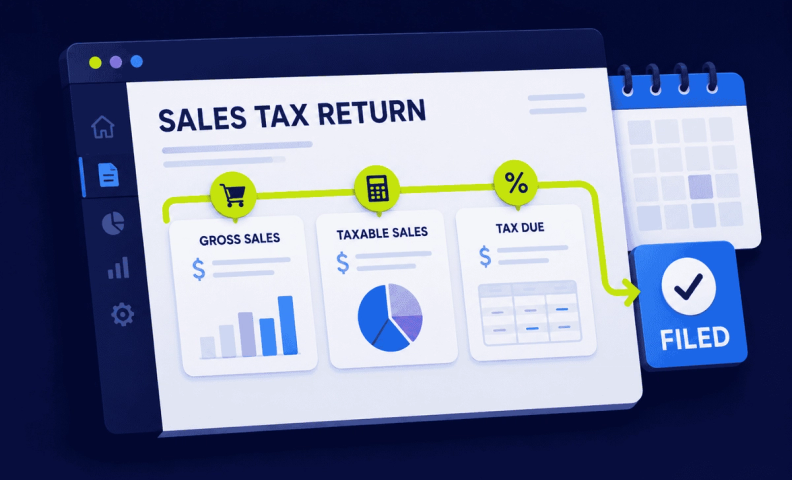
Is there anything more thrilling than filling out an online sales tax return? We get it. This stuff is rarely at the top of the “fun list,” but that doesn’t mean it’s not important! In fact, learning how to file sales tax for your ecommerce business has never been more important.
While it can be super daunting if you’ve never done anything like this before, the good news here is that it can be way less scary than you might be expecting. With a little patience and the right know-how, your filings can get done pretty quickly. On this page, we’ll run through ecommerce sales tax for US and international sellers who have nexus with US states.
Before you file: 3 things to confirm first
Online sales tax in the US can be a bit of a headache-inducer. Before you learn how to file your return, it’s best to make sure you’ve already done the following:
- Determined which states you have in.
- Registered for a permit in the right states.
- Received your permit and relevant forms from the Department of Revenue.
Once you’ve jumped through these hoops, it’s time to actually file your return.
Find your filing frequency
Learning how to file sales tax in most states means establishing when you’ll need to file and how your state prefers you to do so. The state(s) with which you have nexus will stipulate what’s known as a “sales tax filing frequency.” This is exactly as it sounds. It determines when vendors are expected to file and how often.
This information should be on the letter you received from the relevant Department of Revenue. Alternatively, just log in to your state’s tax website and check for details about filing frequency. Be sure to check your first filing date. This is an important detail that’s easy to overlook for newbies.
If you file monthly
Monthly filers will submit returns once a month. In most cases, your filing date will be the 20th business day of the month following your registration. In some states (Maine, for example) this might actually be the 15th or even the end of the month. Most US states ask for the 20th, however.
If you file quarterly
Those filing quarterly will submit the month after the end of each quarter.
- Filing after Q1: File in April.
- Filing after Q2: File in July.
- Filing after Q3: File in October.
- Filing after Q4: File in January.
Tip: start early. Once you know when you’re expected to file, it’s a good idea to give yourself the best possible head start. Give yourself at least a week to gather all the information you’ll need.
Choose how you’ll file: Online vs. paper
There are typically two options when it comes to how you actually file your sales tax return:
- Paper forms with a check.
- Your state’s online portal.
Some states (Texas is a good example) still love to send you mountains of paperwork to fill out and send back to them. Wherever possible, however, we strongly recommend opting for online tax filing. You’ll be able to save your progress as you go, save time, and keep track of the information that matters most.
Calculate what you actually owe: A 3-step formula
A comprehensive guide to the idiosyncrasies of every single state’s filing procedure is beyond the scope of this blog post. However, the templates below should go a long way in arming you against your ecommerce woes!
Step 1: Determine your taxable sales
Your first step should be to figure out how many of your sales are actually taxable in your nexus states. To do this, you’ll want to wrap your head around any relevant deductions (laid out by each state) and take this off your gross sales figure. Follow this basic formula:
Gross Sales – Deductions = Your Taxable Sales
Once you know your taxable sales, move on to step two.
Don’t forget your exemptions. Depending on the state you’re filing in, you may be eligible for more exemptions than you might expect. This could apply to wholesale sales, products that are exempt, exempt entities, and much more. Learn more about sales tax exemptions here.
Step 2: Determine the amount of tax you actually owe
Now that you know how many of your sales are taxable, it’s time to calculate what you actually owe. To do this, you’ll apply your state’s tax rate to your taxable sales. Follow this basic formula:
Your Taxable Sales x Your State’s Tax Rate = The Amount of Tax You Owe
You risk leaving money on the table if you file after step two. Step three below outlines how you could stand to reduce the amount you finally pay.
Step 3: Double-check your deductions and penalties
In most states, there are discounts available to vendors who file on time. Conversely, there are penalties and interests that can accrue if you file late. Be sure to add and subtract these from your due tax before filing. Follow this basic formula:
The amount of tax you owe – any discounts + any accrued interest + any penalties = Your Total Tax Due
Filing details vary by state: Here's where to look
The steps above apply everywhere, but the specifics (which forms, which portal, how local rates get reported) differ a lot state to state. If you're filing in one of these states, we've got you covered in more detail:
Read: New York Online Sales Tax Guide [for Ecommerce Sellers]
Read: Illinois Sales Tax for Remote Sellers | Rates, Forms, Registrations, and What Changed in 2026
Read: Guide to California Sales Tax for Ecommerce Sellers
Read: Colorado SUTS Explained: What You Need to Know
Selling into a state not listed here? Our The Ecommerce Sales Tax Guide: What You Need to Know to Stay Compliant (and Sane) is the best place to start.
Frequently asked questions
How do I know how often I need to file sales tax?
Your filing frequency, monthly, quarterly, or annually, is assigned by each state based on your sales volume or tax liability, and should appear on the registration paperwork you received from that state's Department of Revenue.
What's the basic formula for calculating what I owe?
Start with Gross Sales minus Deductions to get Taxable Sales. Multiply that by your state's tax rate to get the Amount of Tax Owed. Then adjust for any timely-filing discounts, penalties, or accrued interest to arrive at your Total Tax Due.
Should I file online or by paper?
Online, whenever it's available. It's faster, lets you save your progress, and creates a much easier paper trail than mailing in physical forms and checks.
What happens if I miss my first filing date?
Missing your very first filing date is one of the most common mistakes new filers make. It's easy to overlook since it doesn't always align with a calendar quarter or month start. Check your registration paperwork carefully for the actual first due date rather than assuming a standard cycle.
Does every state calculate sales tax the same way?
No. Some states apply a single flat rate statewide, while others require you to calculate and report tax separately by county, city, or other jurisdiction. That's one of the biggest reasons filing processes vary so much state to state.
Where can I find filing details specific to my state?
Start with our state-specific guides for California, New York, Illinois, and Colorado, or reach out to our sales tax team for help with any state not covered yet.
Get state-specific help with your sales tax filing
The steps above are the same everywhere, but the specifics, forms, portals, due dates, exemptions, vary a lot by state. If you want a clearer picture of where you stand before diving in, take our free Sales Tax Risk Assessment, 20 quick questions, about five minutes, for a personalized read on your exposure. If you'd rather hand filing off entirely, our sales tax team files for ecommerce sellers in all 50 states every month.
