

Just as with connecting A2X to QuickBooks Online, this guide assumes you've already set up a shell company in A2X.
Why A2X matters for Amazon sellers
A2X helps automate your Amazon accounting. It pulls in your settlement data from Amazon and creates summaries of accounts, invoices, and/or journal entries, working together with QuickBooks Online to make that data more useful to you. If you're not sure A2X is worth the setup, see the real numbers on what it can catch that a raw Amazon deposit hides.
Getting your accounting right as an Amazon seller can really take your business to new heights, and connecting A2X correctly is the foundation that makes it possible.
Two ways to start the connection
There are two ways to initiate the connection between A2X and Amazon:
- Connect directly through the A2X homepage, where all your connected systems are listed.
- Connect through Settings, under Connections, by selecting "Connect to Amazon."
Both paths lead to the same setup flow. You'll select the Amazon market you want to grant A2X access to (Amazon.com, for most US sellers, with the option to add other markets later), then log in as the Amazon seller account owner.
Since A2X periodically updates its interface, we'd rather point you to A2X's own current step-by-step connection guide than walk through specific screens that may not match what you see today.
What to do if you're not the Amazon admin
Only the actual Amazon account owner can log in and grant A2X access. There's no way around this. If your accountant set up your A2X account but hasn't granted you access yet, they'll need your help connecting Amazon.
A word of caution: it's a good idea not to share your Amazon or QuickBooks login credentials with third parties, including your accountant or accounting firm. Here at LedgerGurus, we never ask sellers or clients for their actual login info. We request accountant-level access instead. That accountant access works fine for connecting QuickBooks to A2X, but it can't be used to connect Amazon. That step always requires the real seller admin credentials.
If you need to connect Amazon to an A2X account your accountant already set up, they have two options:
Option 1: Grant you A2X access as a "User." Your accountant invites you by email through A2X's Users settings. Once you accept the invite, you can connect Amazon to A2X yourself using the steps above.
Option 2: Send you a direct email invite to connect Amazon. Your accountant selects "Connect to Amazon," indicates you're not the Amazon Seller account owner, enters your email, and chooses the market to connect. You'll receive an email invitation you can use to connect your Amazon admin credentials directly, without ever becoming a full A2X user.
For the exact current screens for either option, see A2X's help documentation.
Why your settlement format matters (and how to fix it)
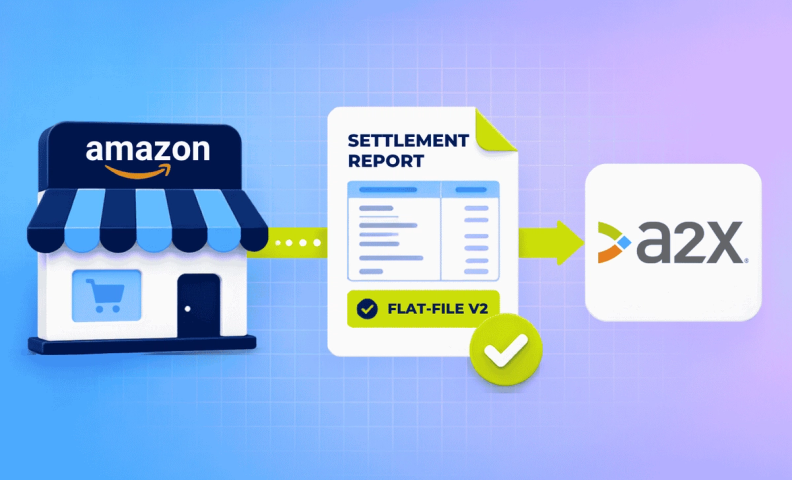
It's crucial that your Amazon settlements are in Flat-File V2 format. If they're not, A2X simply can't pull them in, even if the settlements exist in Amazon Seller Central.
If settlements are missing from A2X:
- Check Amazon Seller Central first (Reports > Payments > All Statements). Missing settlements are usually sitting there in the wrong format.
- Request the report again from Seller Central. This typically prompts Amazon to regenerate it in the correct Flat-File V2 format.
- Once the settlement is available in the correct format, A2X automatically imports it. You don't need to manually refresh or reconnect anything.
For the current screens showing exactly where to find these settings in both Amazon Seller Central and A2X, see A2X's settlement import documentation.
Frequently asked questions
What are the two ways to connect A2X to Amazon?
You can start the connection directly from the A2X homepage, where your connected systems are listed, or through Settings > Connections > Connect to Amazon. Both paths lead to the same setup flow.
What if I'm not the Amazon seller admin?
Only the Amazon account owner can log in and grant A2X access. If your accountant set up your A2X account, they can either add you as a User in A2X so you can connect Amazon yourself, or send you a direct email invite that lets you connect without ever becoming an A2X user.
Should I share my Amazon or QuickBooks login with my accountant?
No. Request accountant-level access instead. An accountant login works for connecting QuickBooks to A2X, but it can't be used to connect Amazon. That step always requires the actual seller’s admin credentials.
Why does my Amazon settlement format matter?
A2X can only pull in settlements formatted as Flat-File V2. If your settlements aren't in that format, they simply won't show up in A2X, even if they exist in Amazon Seller Central.
What should I do if settlements are missing from A2X?
Check Amazon Seller Central first. The missing settlements are usually sitting there in the wrong format. Requesting the report again from Seller Central often triggers Amazon to regenerate it in the correct Flat-File V2 format, which A2X will then automatically pull in.
Do I need to manually refresh A2X once my settlements are in the right format?
No. A2X automatically imports Flat-File V2 settlements as soon as they're available in your Amazon account. No manual refresh or reconnection needed.
Let us connect it for you
If you'd rather skip the setup entirely, we offer a service that connects your Amazon store to A2X, and then to QuickBooks Online, so your Amazon accounting is ready to go from day one.
